 RC
RC
How to install HomePod 18.6 Beta Software
Get HomePod 18.6 Beta Software on your HomePod using your Apple Account, without needing a beta profile.
Enroll your iOS or iPadOS device
Your iPhone or iPad will need to be running iOS 18.6 Beta or iPadOS 18.6 Beta.
Turn on Beta Updates
From a device running iOS 18.6 or iPadOS 18.6, go to the Home App → Home Settings → Software Update → HomePod Beta Updates and then choose the HomePod you want to enroll in the Beta Program.
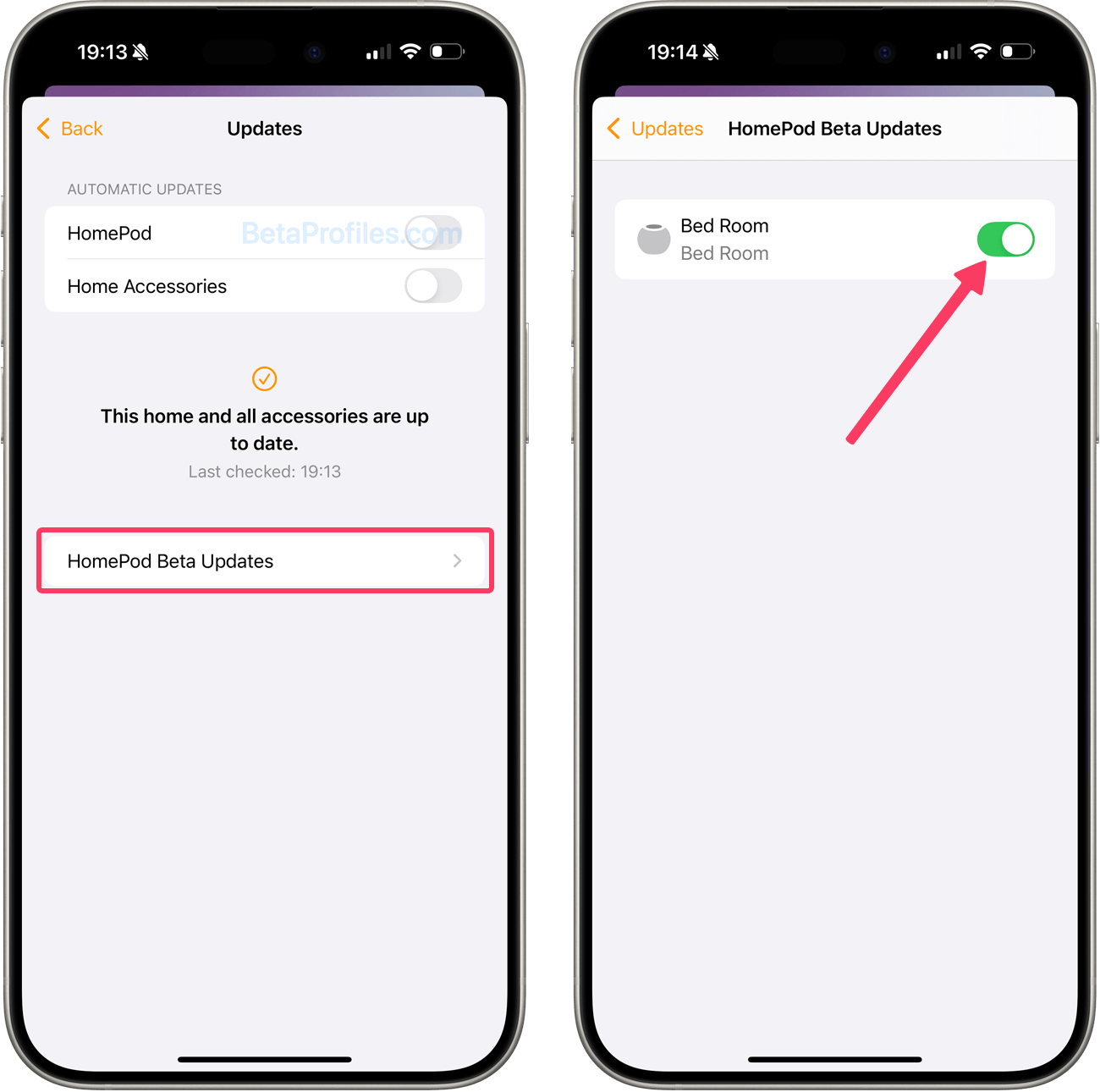
Update your HomePod
Your HomePod mini or HomePod (2nd generation) will automatically receive the latest beta software if you have Automatically Update turned on in the Software Updates settings. To manually check for updates, go to Home app → Home Settings → Software Update.
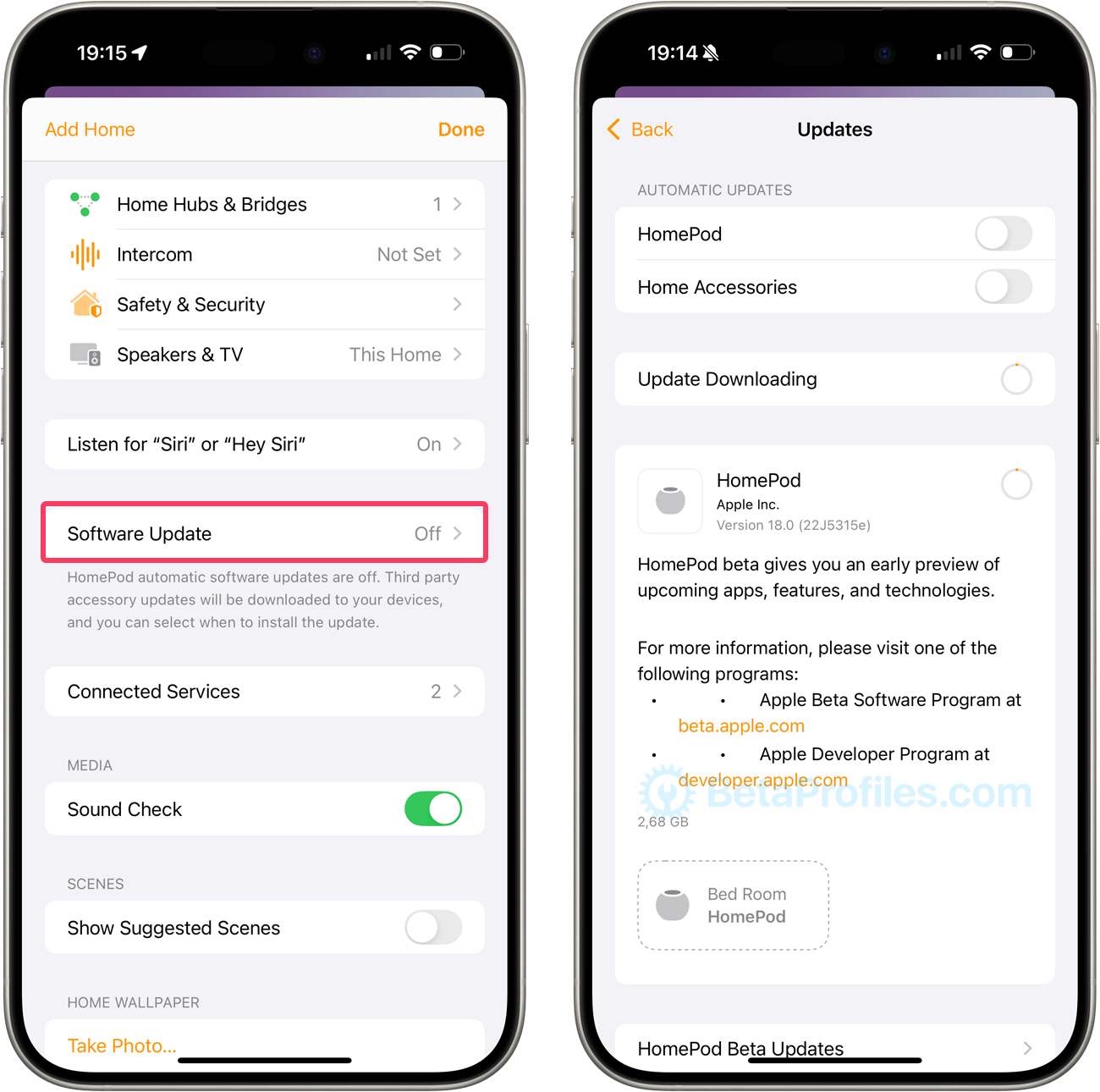
Submitting Feedback
In order to submit Apple HomePod feedback, you will need the Feedback Assistant app on an enrolled iOS, iPadOS or macOS device.
You can launch Feedback Assistant from the second page of your Home screen on the iOS and iPadOS beta and from the Dock on the macOS beta.
Latest update: June 3, 2026