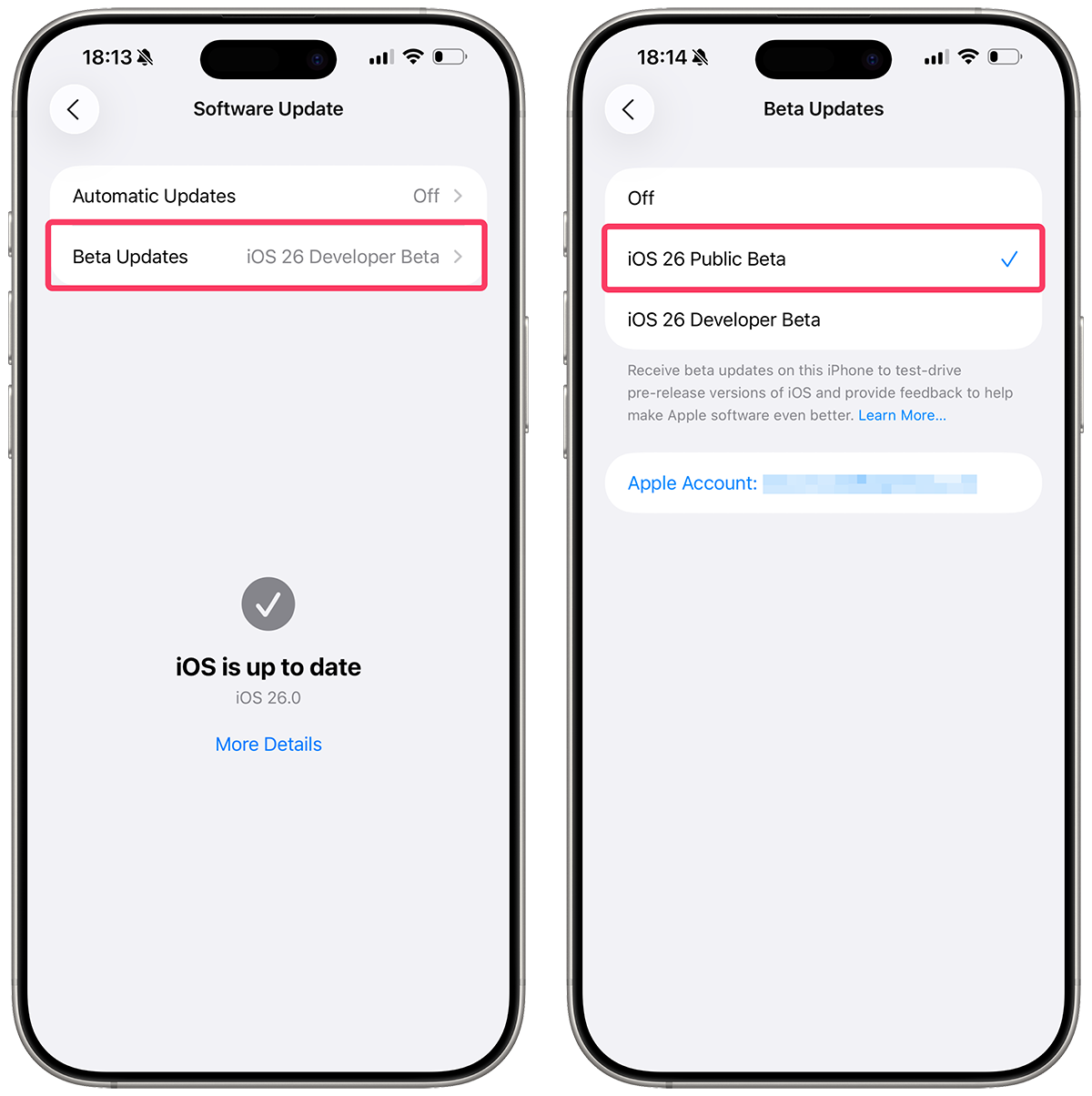
Open Settings app Go to Settings → Software Update → Beta Updates (it may take a moment to appear) and then choose iOS 26 Public Beta option.
If you don't see the iOS 26 Public Beta option, make sure you have enrolled your Apple Account in the Apple Beta Software Program.
Learn how to join the Apple Beta Software Program
Wait until new public beta is released That's it! And the next time there is an update to the public beta you should get the new build under the public beta portal.
Note Please note that Public beta updates typically become available a few days after the Developer beta updates are released.
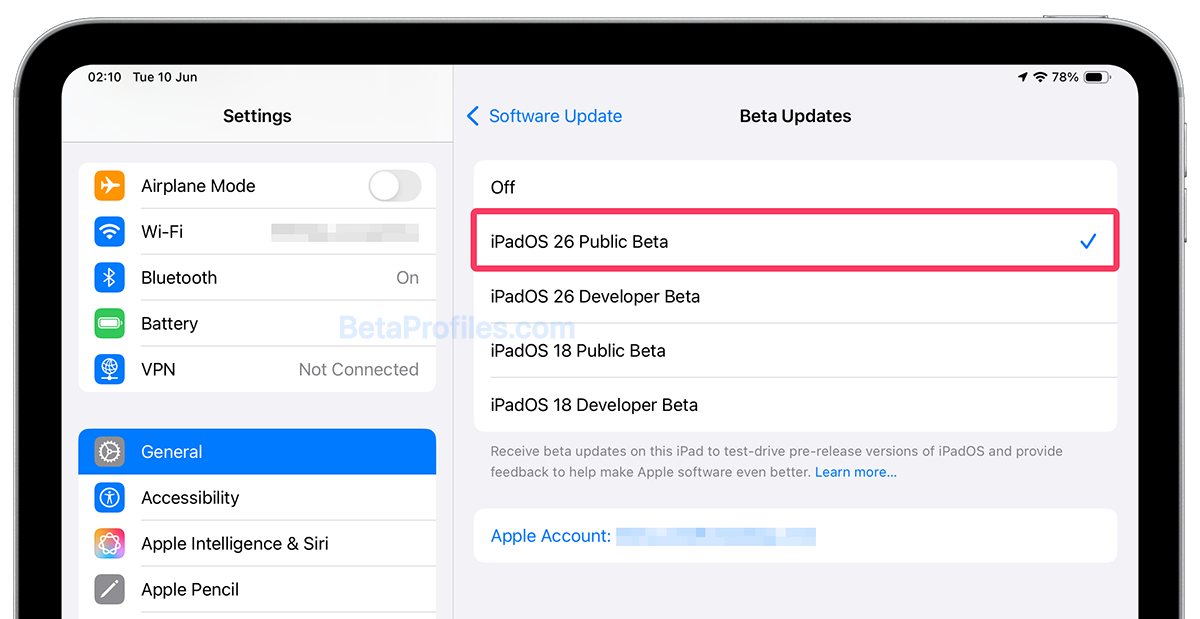
Open Settings app Go to Settings → Software Update → Beta Updates (it may take a moment to appear) and then choose iPadOS 26 Public Beta option.
If you don't see the iPadOS 26 Public Beta option, make sure you have enrolled your Apple Account in the Apple Beta Software Program.
Learn how to join the Apple Beta Software Program
Wait until new public beta is released That's it! And the next time there is an update to the public beta you should get the new build under the public beta portal.
Note Please note that Public beta updates typically become available a few days after the Developer beta updates are released.
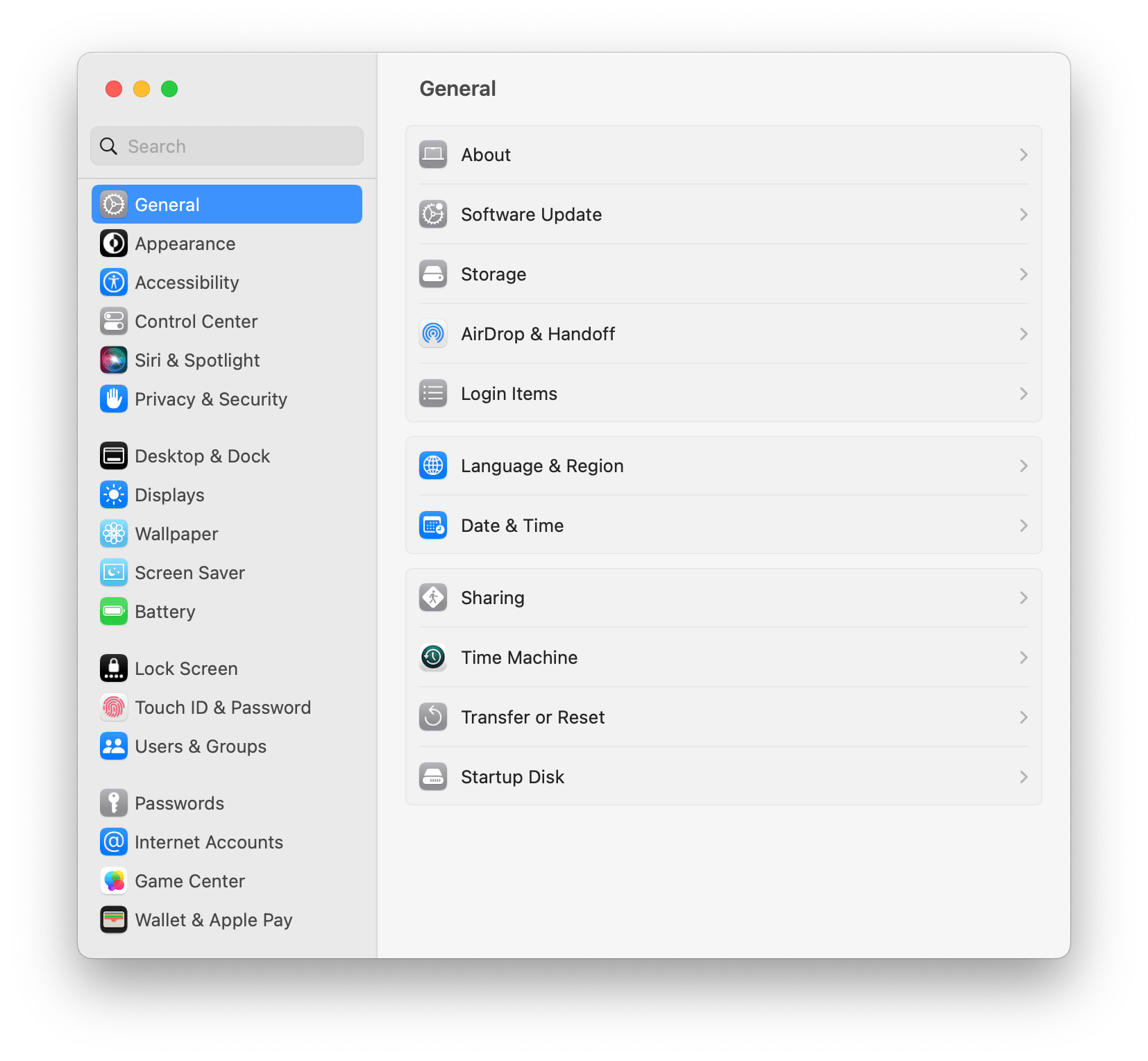
Open Software Update in System Settings Launch System Settings, and select General and choose Software Update.
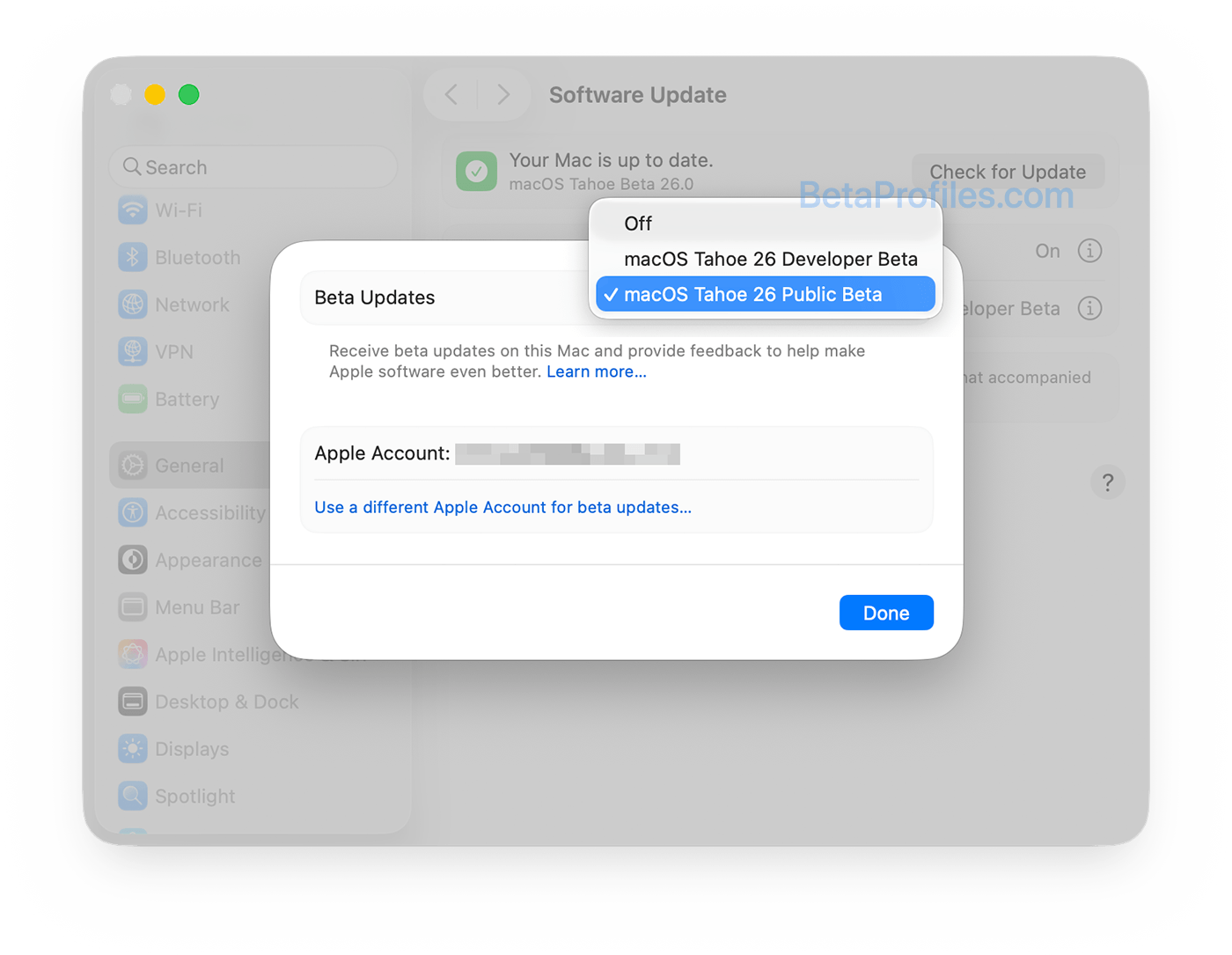
Choose macOS Tahoe Public Beta option To switch to macOS Tahoe 26 Public Beta, click on the "Info" button next to "Beta Updates", then select "macOS Tahoe Public Beta".
If you don't see the macOS Tahoe Public Beta option, make sure you have enrolled your Apple Account in the Apple Beta Software Program.
Learn how to join the Apple Beta Software Program
Install macOS Tahoe Public Beta That's it! And the next time there is an update to the public beta you should get the new build under the public beta portal.
Note Please note that Public beta updates typically become available a few days after the Developer beta updates are released.
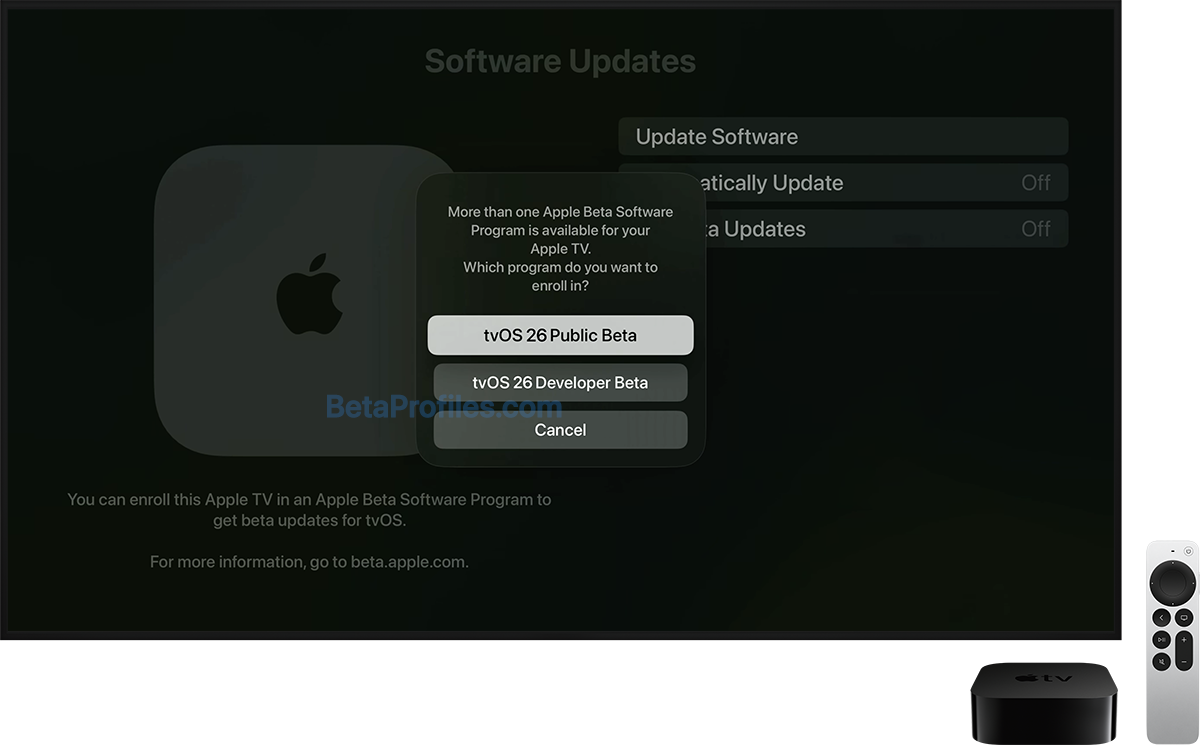
Go to Settings On your Apple TV, go to Settings → System → Software Updates → Get Beta Updates, then select tvOS 26 Public Beta.
If you don't see the tvOS 26 Public Beta option, make sure you have enrolled your Apple Account in the Apple Beta Software Program.
Learn how to join the Apple Beta Software Program
Wait until new public beta is released That's it! And the next time there is an update to the public beta you should get the new build under the public beta portal.
Note Please note that Public beta updates typically become available a few days after the Developer beta updates are released.
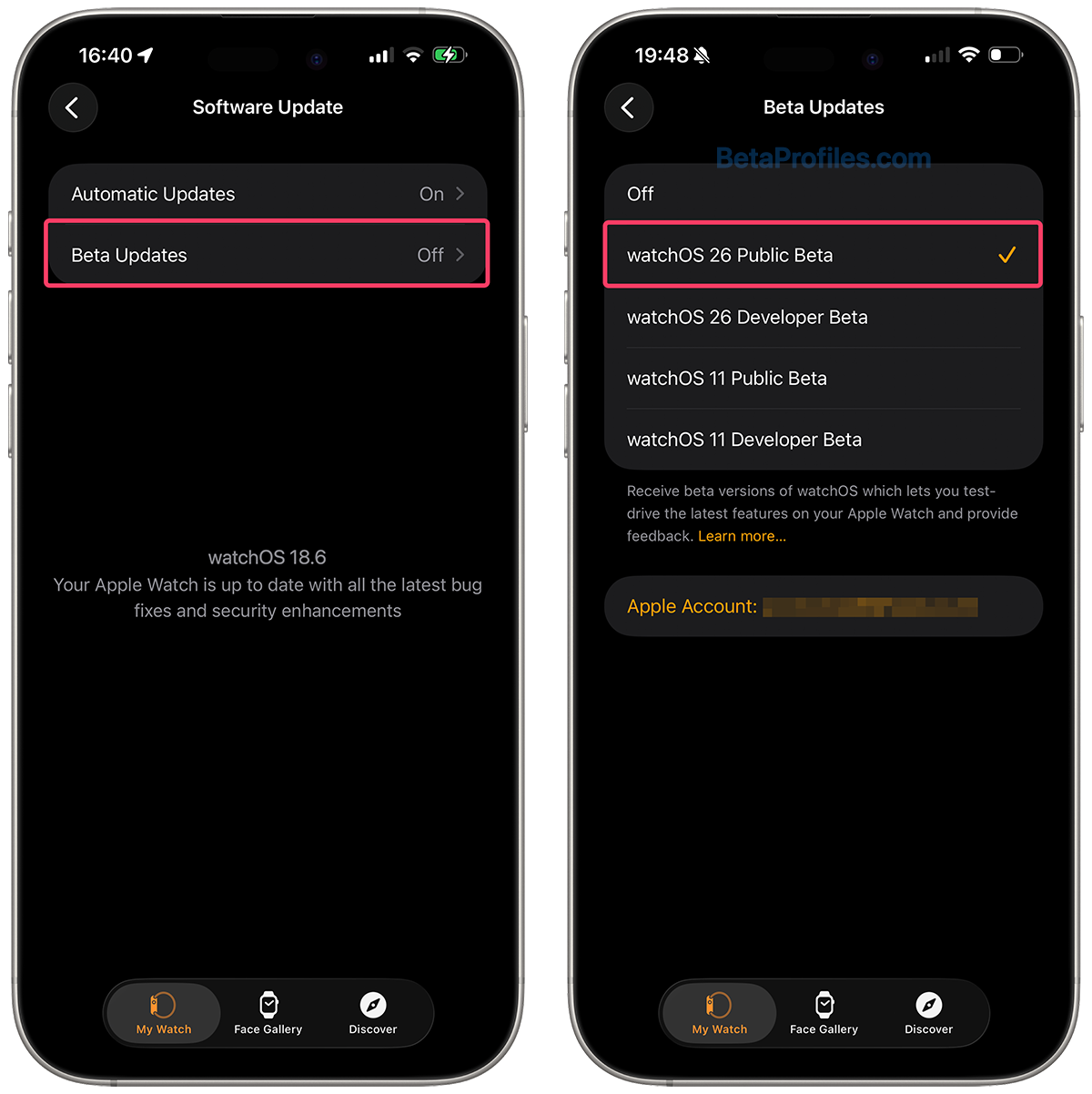
Open Watch app Go to the Apple Watch app on your paired iPhone, tap the My Watch tab, then go to General → Software Update → Beta Updates and tap the watchOS 26 Public Beta option.
If you don't see the watchOS 26 Public Beta option, make sure you have enrolled your Apple Account in the Apple Beta Software Program.
Learn how to join the Apple Beta Software Program
Wait until new public beta is released That's it! And the next time there is an update to the public beta you should get the new build under the public beta portal.
Note Please note that Public beta updates typically become available a few days after the Developer beta updates are released.