
How to download watchOS 27.2 Beta 3
Want to install watchOS 27.2 Beta 3? Follow this guide to check Apple Watch compatibility, meet the installation requirements, and update to the latest beta safely.
You can always switch between Developer Beta or Public Beta if you change your mind. Learn about the differences between these two versions.
watchOS 27 beta requires iPhone 11 or later with iOS 27 beta or later. So, make sure your iPhone is paired with the Apple Watch and updated to iOS 27 beta.
Is Your Apple Watch Compatible with watchOS 27?
watchOS 27 is compatible with Apple Watch Series 9 and later, Apple Watch Ultra 2 and later, and Apple Watch SE 3.
List of Apple Watches compatible with watchOS 27
- Apple Watch Series 12
- Apple Watch Series 11
- Apple Watch Series 10
- Apple Watch Series 9
- Apple Watch Ultra 4
- Apple Watch Ultra 3
- Apple Watch Ultra 2
- Apple Watch SE 3
- Apple Watch Series 8
- Apple Watch Series 7
- Apple Watch Series 6
- Apple Watch Ultra
- Apple Watch SE 2
watchOS 27 requires iPhone 11 or later or iPhone SE (2nd generation or later) with iOS 27.
Sign In to the Apple Developer Center
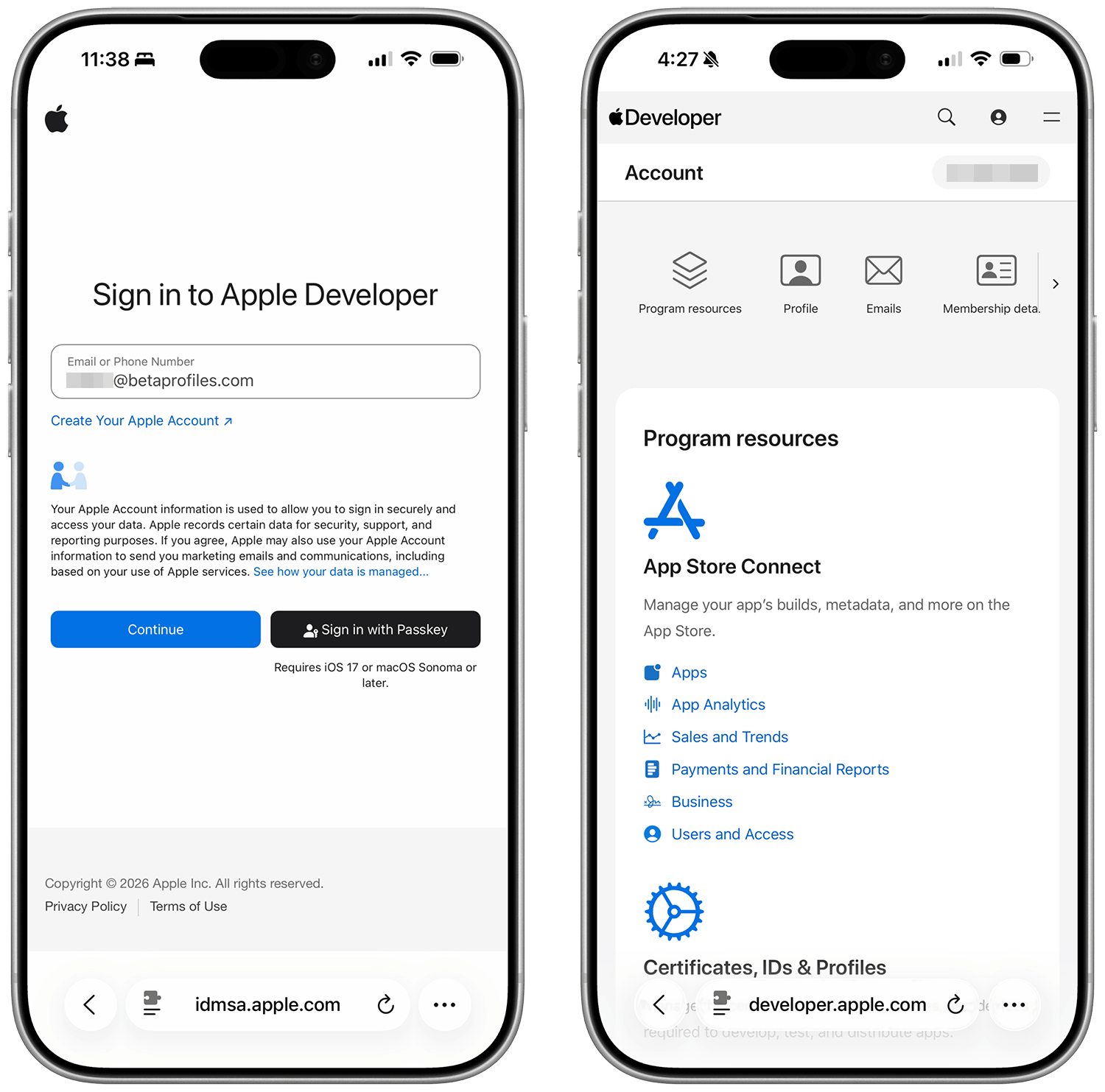
Sign in to developer.apple.com/account ↗ using your Apple Account. You don't need to join Apple's Developer Program, no payment is required, just sign in and agree to the terms and conditions (if any). Then move to the next step.
Enable Beta Updates
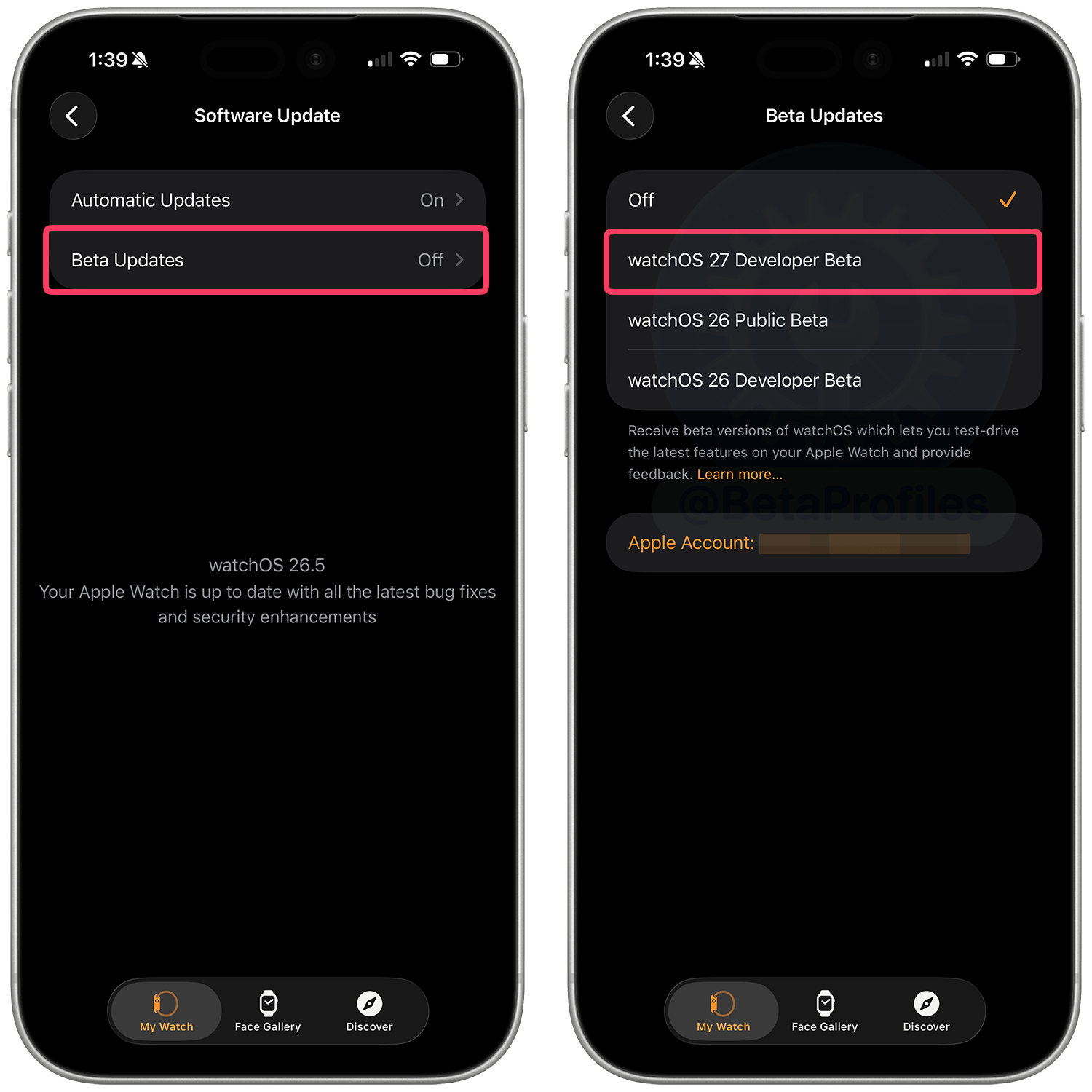
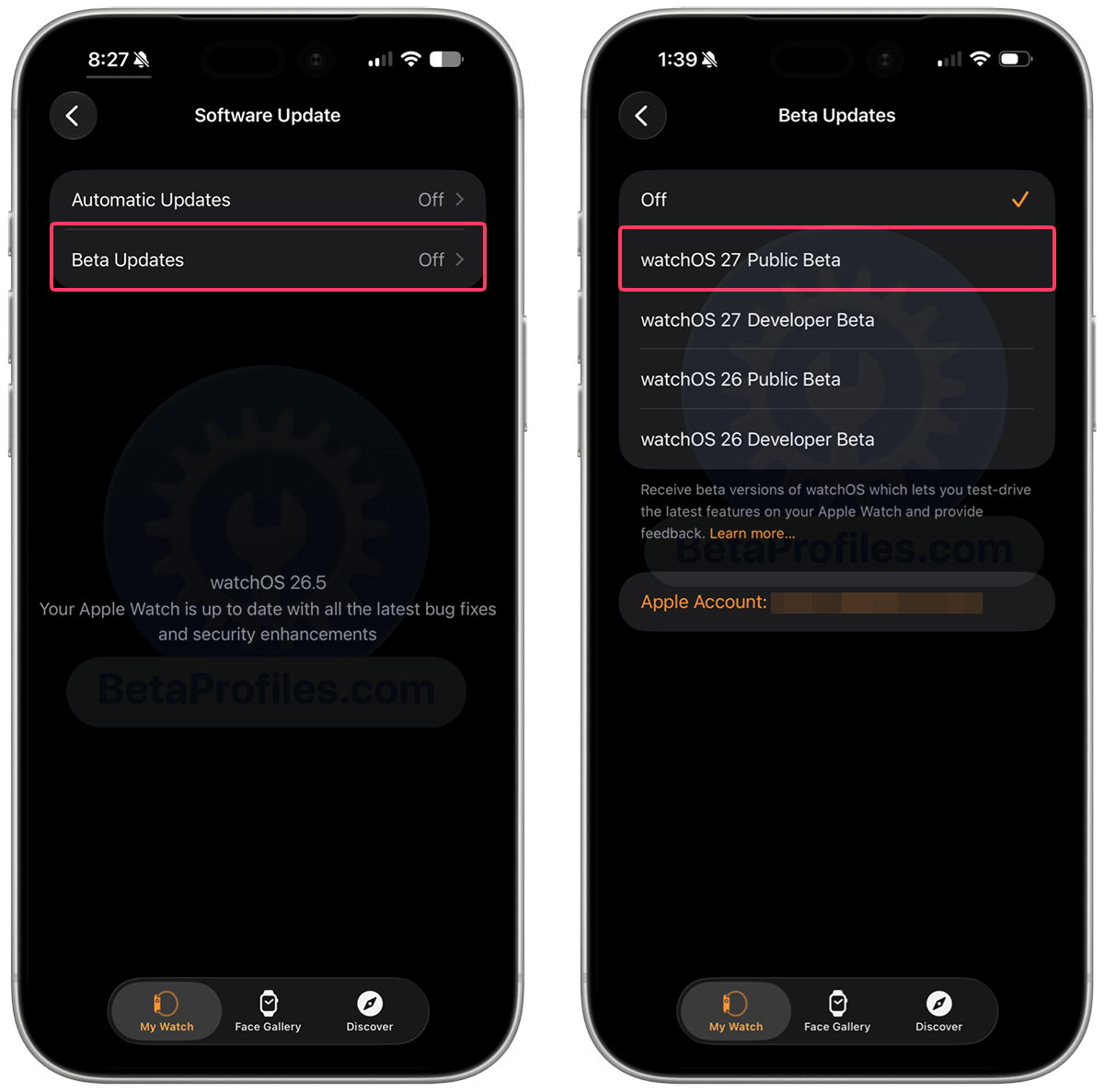
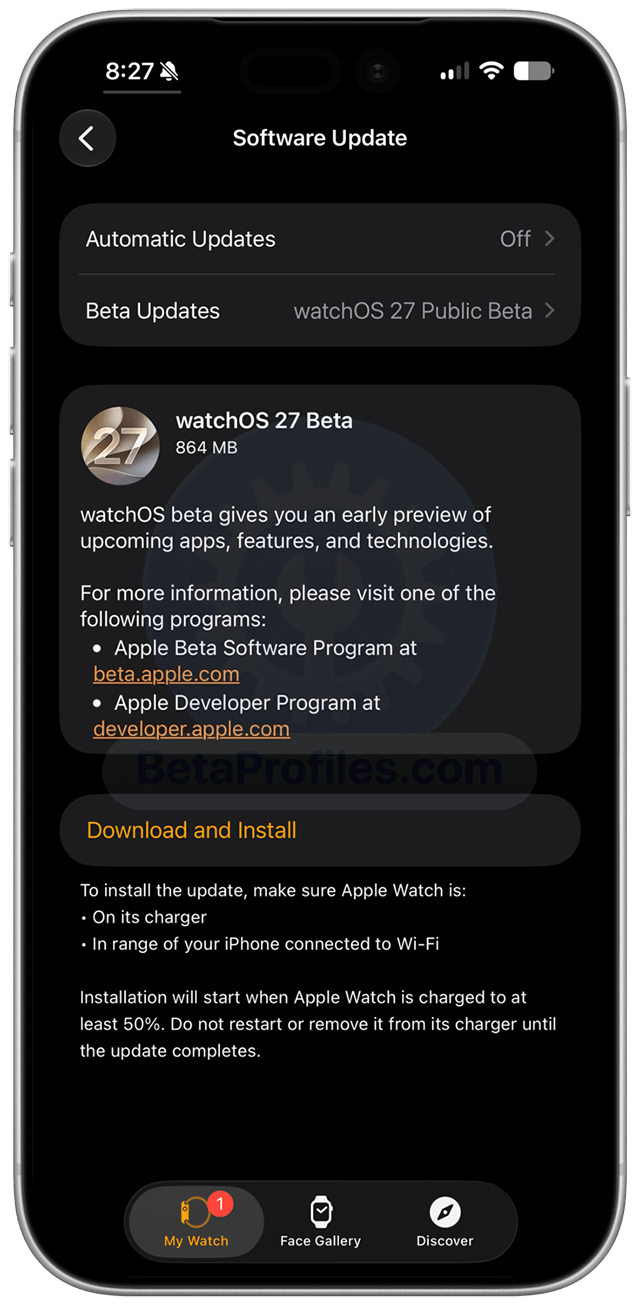
On the iPhone paired with your Apple Watch, open the Watch app, then go to General → Software Update → Beta Updates and select watchOS 27 Developer Beta.
Update Your Apple Watch
Go back to Software Update, wait a moment for the update to appear, then tap the Download and Install button to start the download.
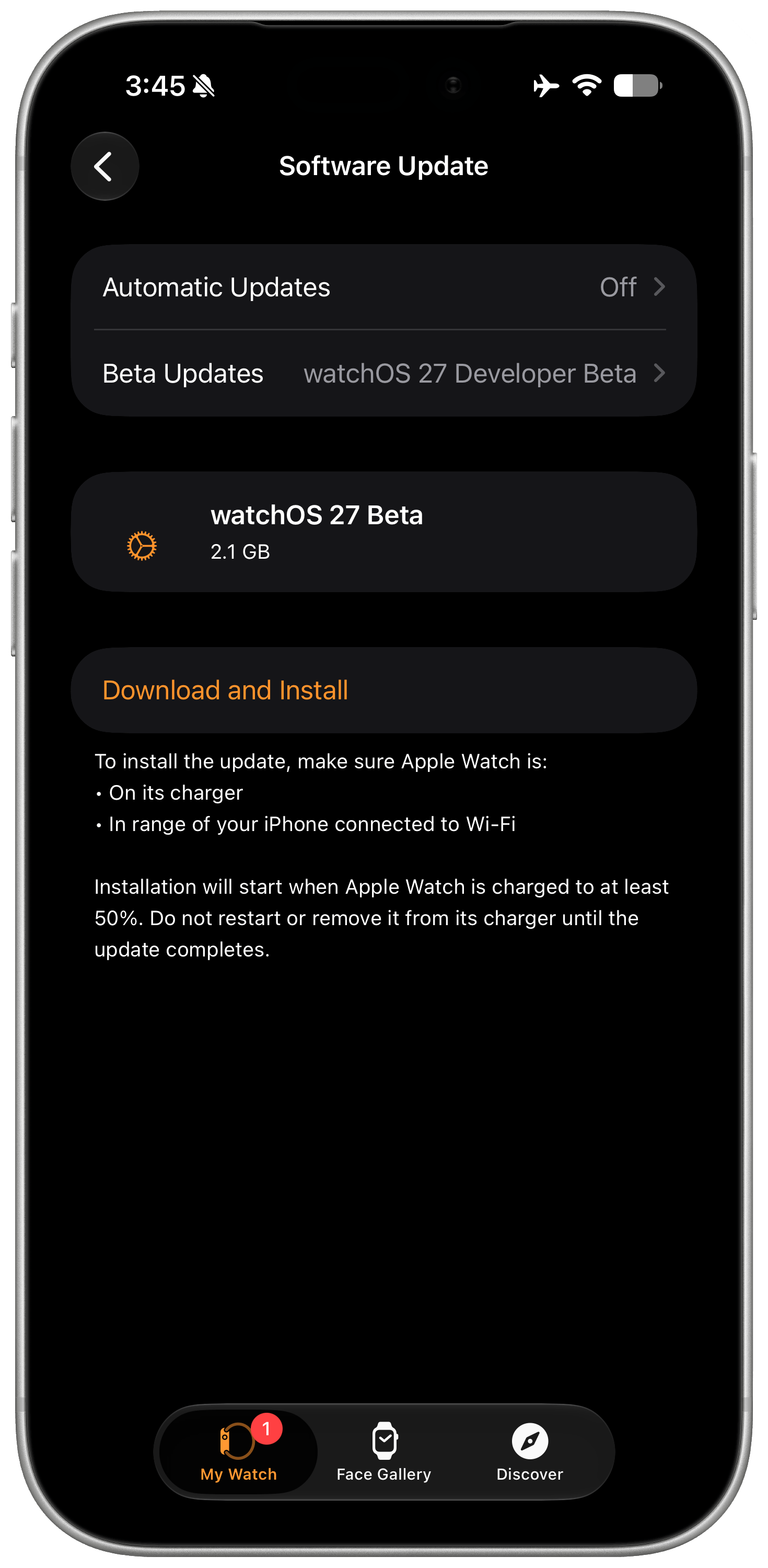
To update the software on Apple Watch, you’ll need to:
- Make sure your Apple Watch has at least a 50 percent charge.
- Connect your iPhone to Wi-Fi.
- Keep your iPhone next to your Apple Watch to make sure they’re in range.
- Make sure your iPhone is running the latest beta.
You can always switch to the "Off" option in Watch app → General → Software Updates → Beta Updates to stop receiving future watchOS 27 beta updates.
Provide Feedback
Once the beta is installed, it will come with a built-in Feedback Assistant app on iPhone, which can be launched from the second page of your Home screen. When you come across an issue that needs addressing, send your feedback to Apple with Feedback Assistant.
Latest update: July 13, 2026