 RC
RC
Download iOS 18 Beta Profile
You’re installing iOS 18 beta profile, just a few more simple steps and you will get the new update on your iPhone.
Back Up Your iPhone
Skip this step if you already backed up your device.
iOS 18.7.10 RC is still in development, which means some applications and services may not work as expected and their data may not be backwards compatible. Be sure to back up your iOS device with Finder/iTunes before installing the software.
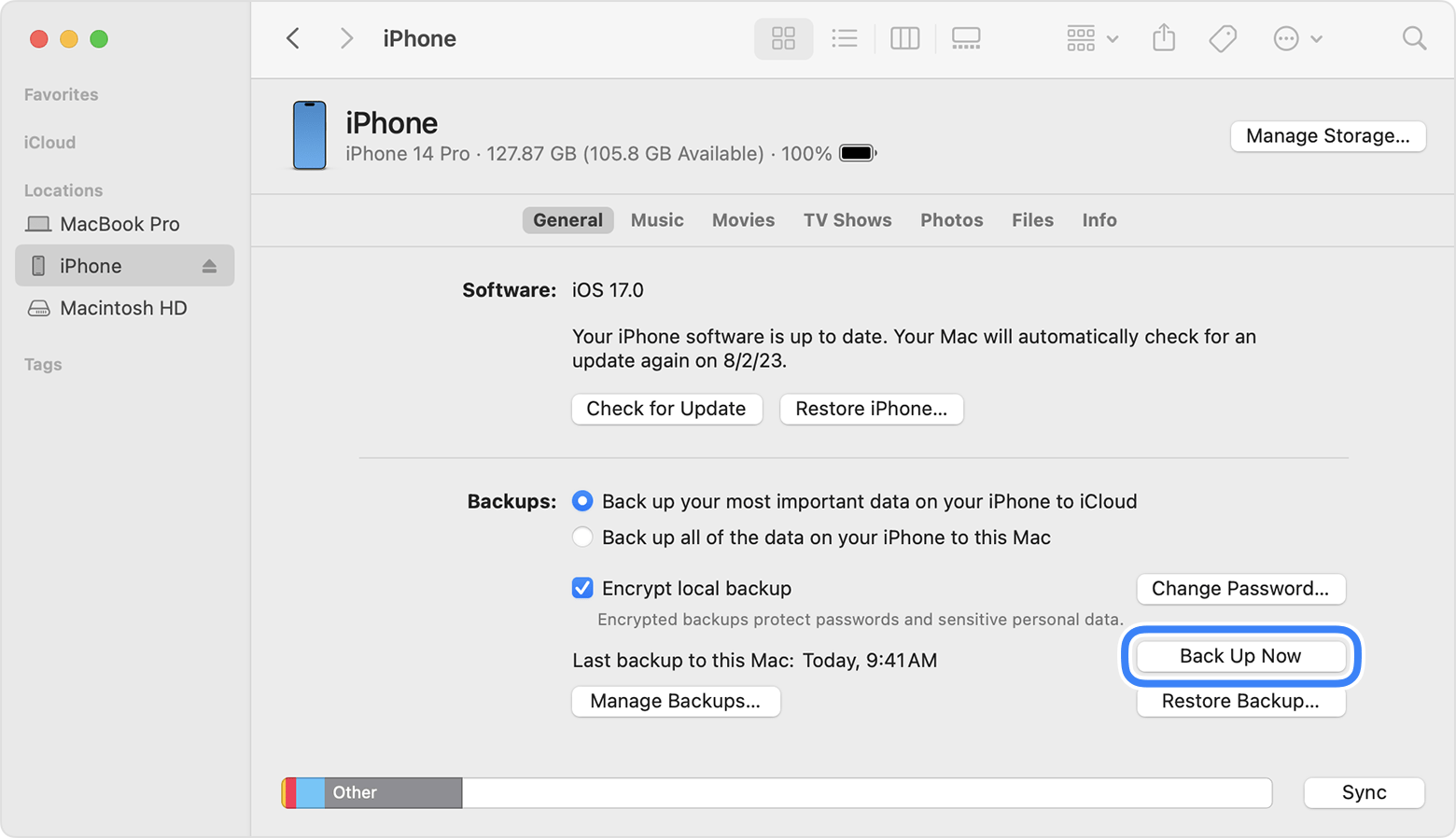
Note: If you have not upgraded to macOS Catalina or later, you can archive a backup using iTunes. We recommend that you do an iTunes backup and archive it before installing the iOS beta.
Learn how to backup your iPhone
Install profile
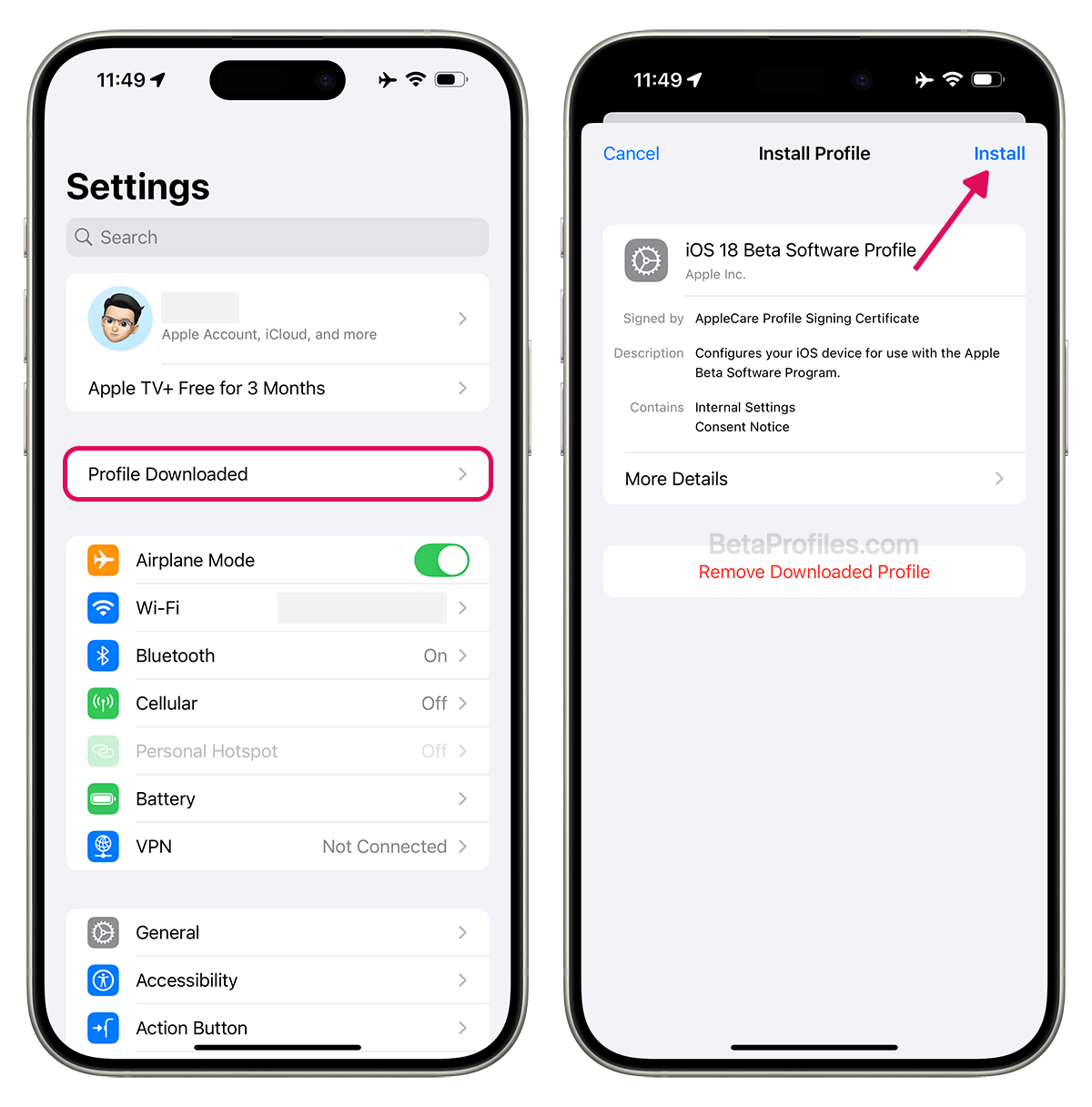
Tap “Install Profile” button below to install the iOS 18 Beta Profile, or if you’ve already downloaded the beta profile from the homepage of BetaProfiles.com, open Settings and tap on “Profile Downloaded” at the top. Then, tap “Install.”
Follow the on-screen steps, and restart your iPhone if prompted.
Update your iPhone
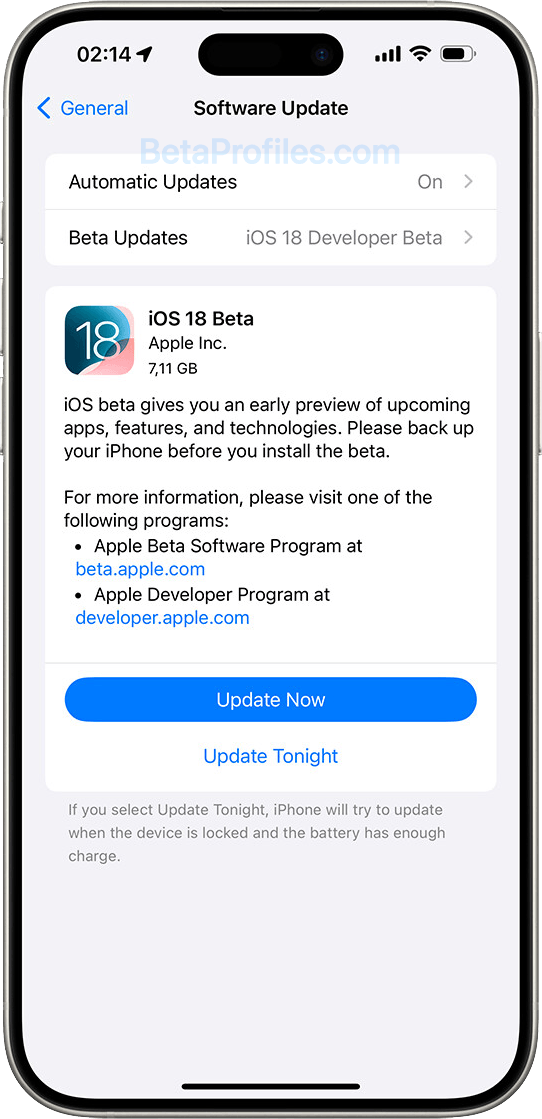
After your iPhone has restarted, go to Settings → General → Software Update to install any available beta software.
You can always delete this installed profile anytime you want to stop receiving beta updates. All you need to do is go through the Delete Profile page, which has all the instructions for each of your devices.
However, if you want to roll back to the previous stable version, you'll need to do this through your PC or Mac. There's also a Restore guide if you're interested.
Provide Feedback
Once the beta is installed, it will come with a built-in Feedback Assistant app, which can be launched from the second page of your Home screen. When you come across an issue that needs addressing, send your feedback to Apple with Feedback Assistant.
Latest update: June 3, 2026