 RC
RC
How to download iPadOS 18.7.10 RC
Download latest iPadOS 18.7.10 RC Developer Beta or Public Beta on your iPhone using your Apple Account, without needing a beta profile.
You can always switch between Developer Beta or Public Beta if you change your mind. Learn about the differences between these two versions.
Back Up Your iPad
Skip this step if you already backed up your device.
iPadOS 18.7.10 RC is still in development, which means some applications and services may not work as expected and their data may not be backwards compatible. Be sure to back up your iPad device with Finder/iTunes before installing the software.
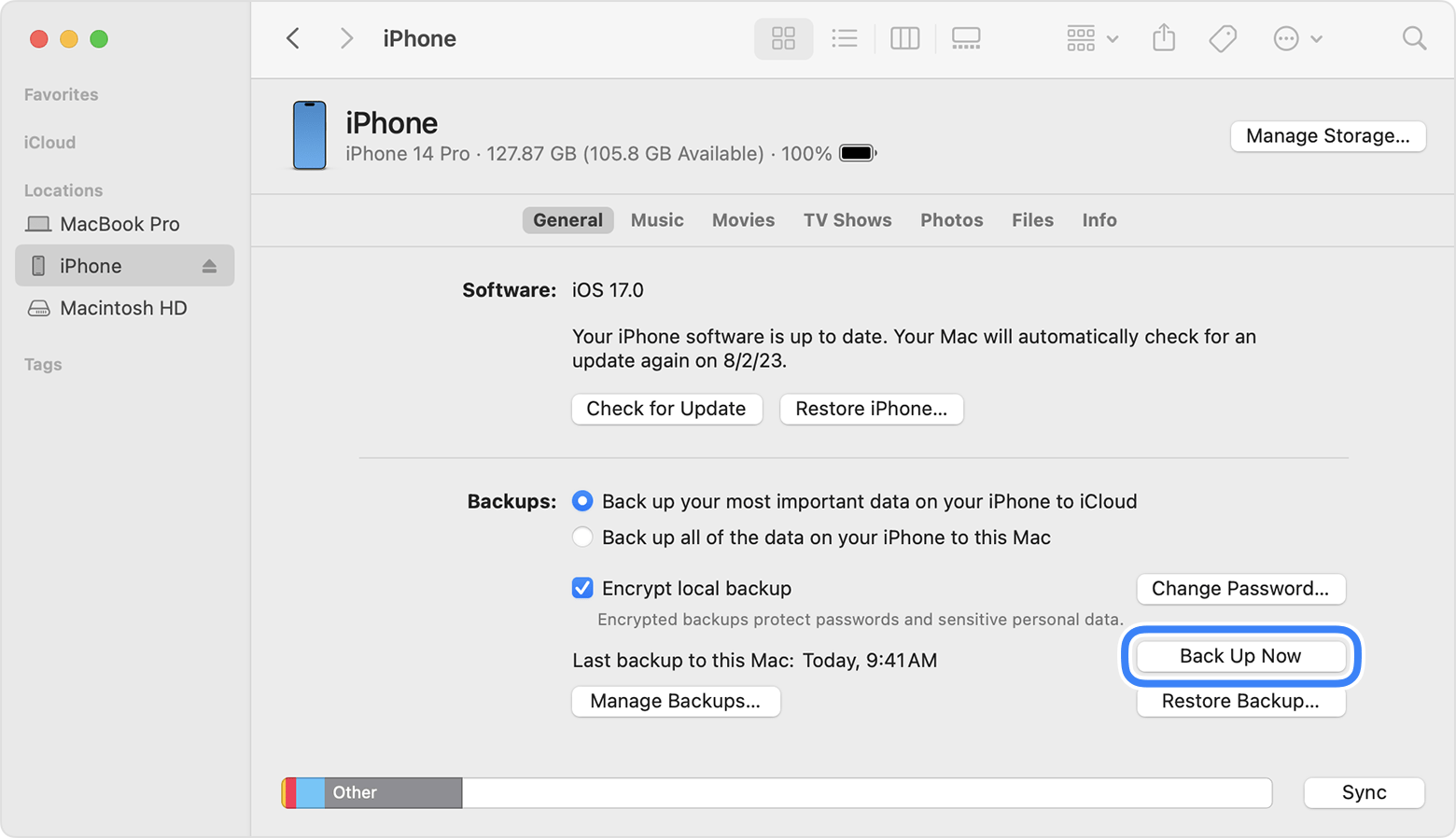
Note: If you have not upgraded to macOS Catalina or later, you can archive a backup using iTunes. We recommend that you do an iTunes backup and archive it before installing the iPadOS beta.
Sign in to the Apple Developer Center
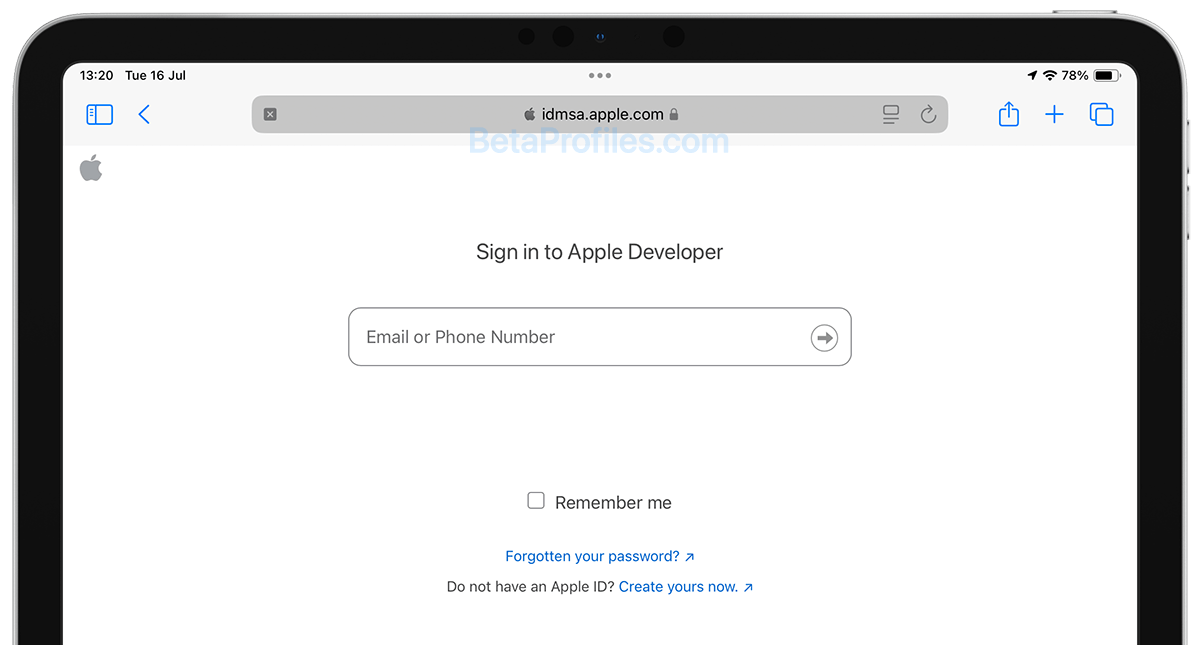
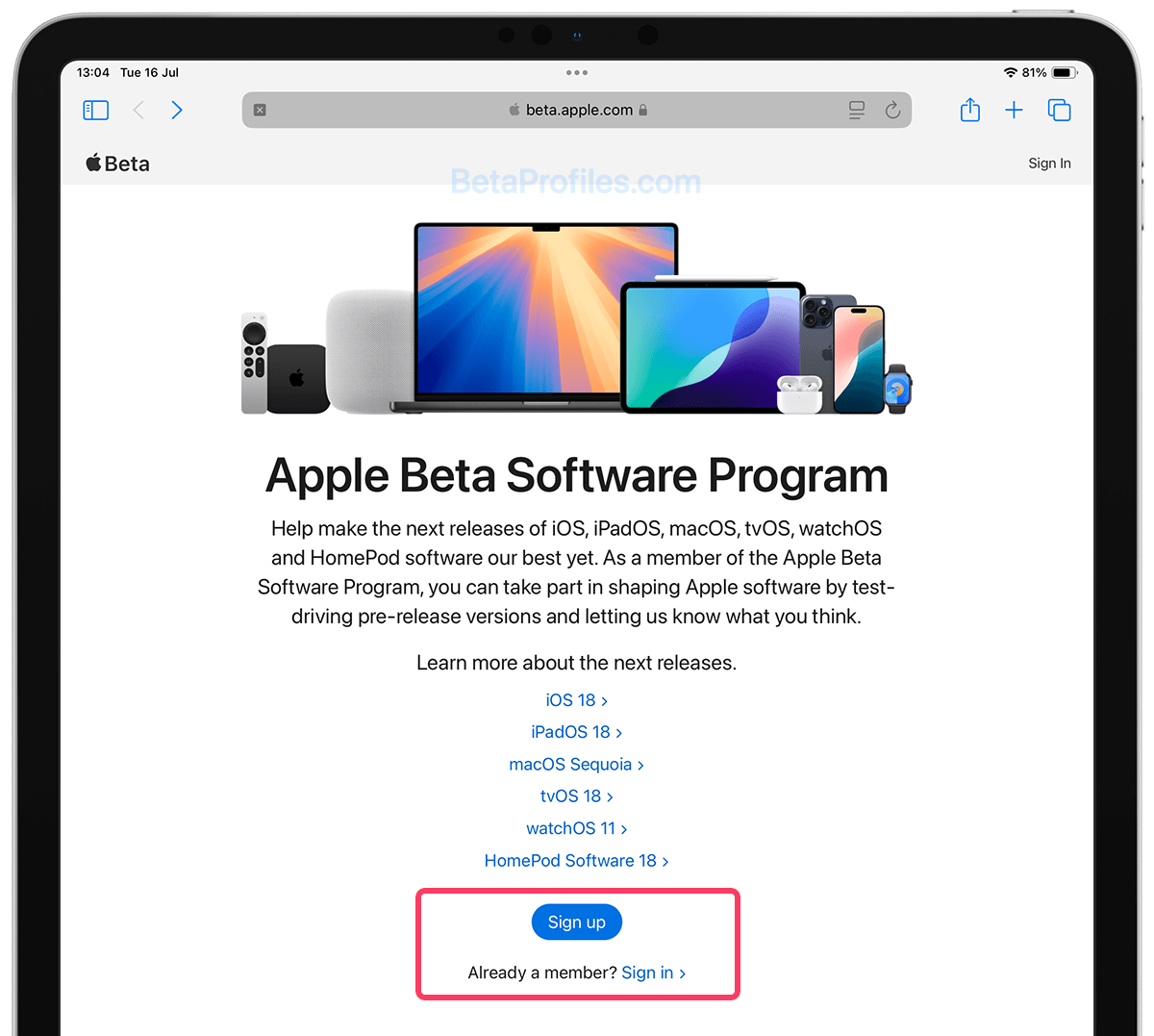
Sign in to developer.apple.com/account using your Apple Account. You don't need to join Apple's Developer Program, no payment is required, just sign in and agree to the terms and conditions (if any). Then move to the next step.
Enable Beta Updates
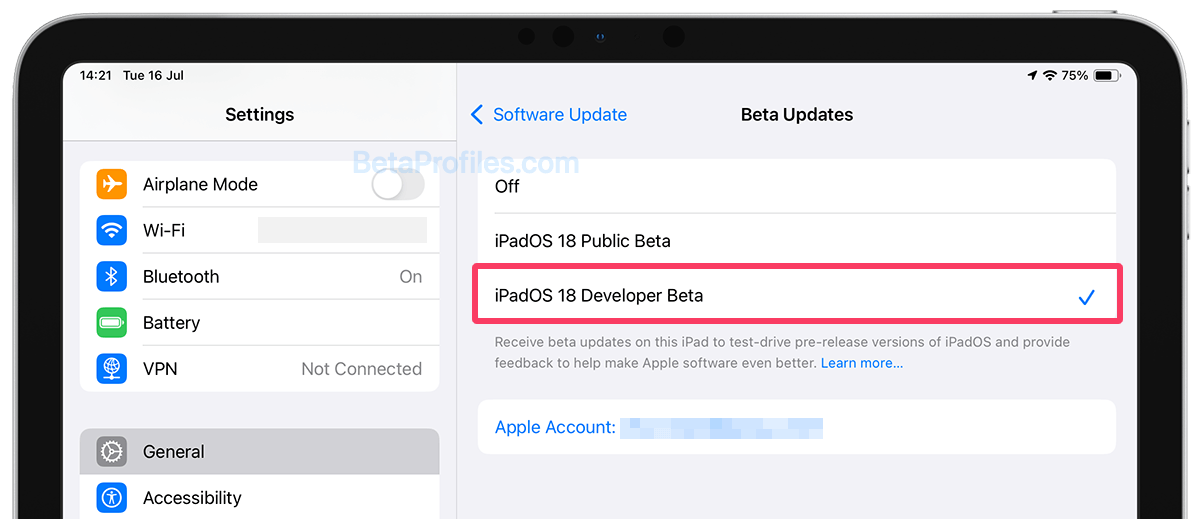
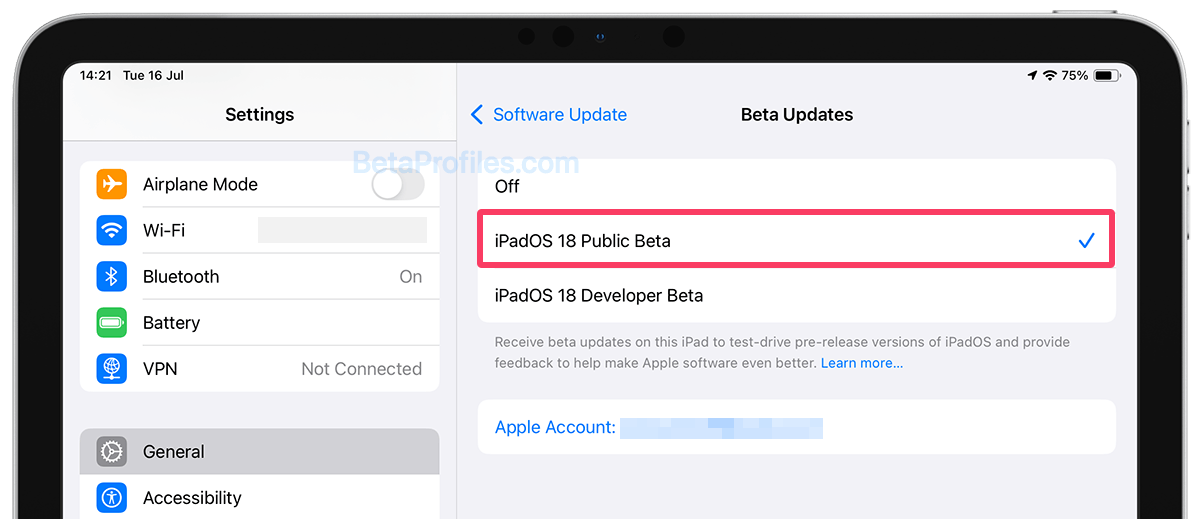
Go to Settings → General → Software Update → Beta Updates and then choose iPadOS 18 Developer Beta.
Update Your iPad
Go back to Software Update, wait a moment for the update to appear, then tap the Update Now button to start the download.
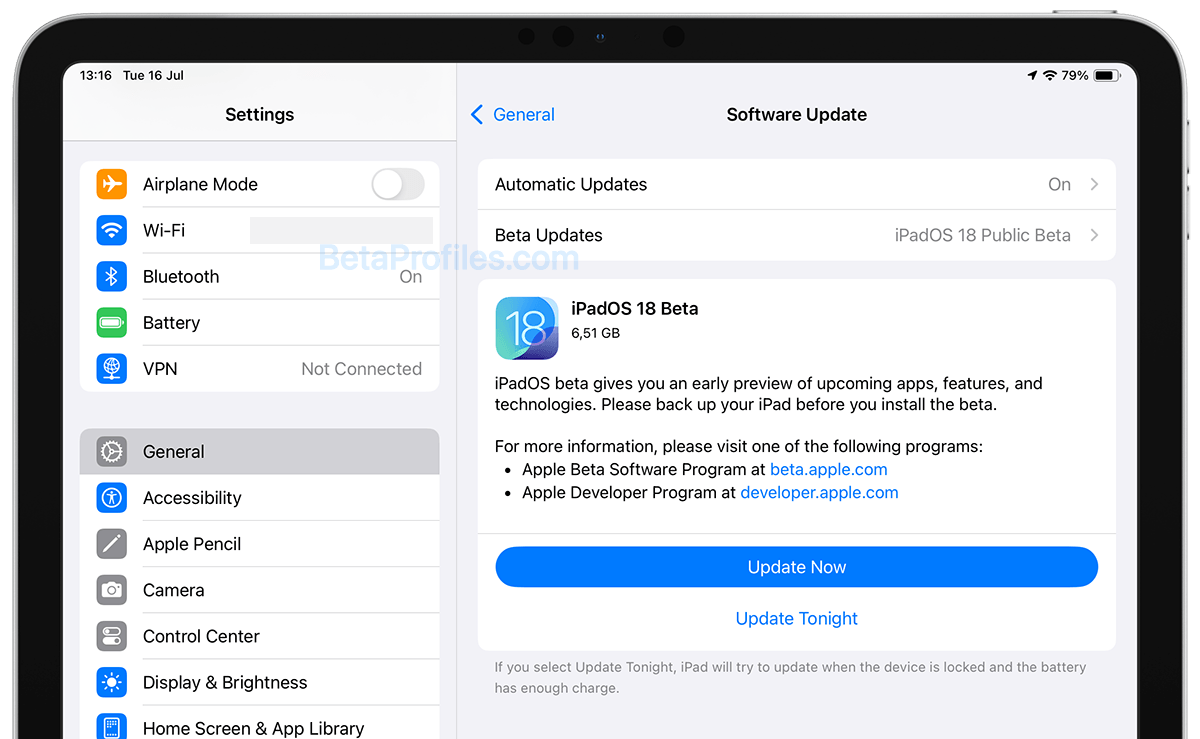
You can always switch to the "Off" option in Settings → General → Software Updates → Beta Updates to stop receiving future iPadOS 18.7.10 beta updates.
If you want to roll back to the previous stable version, you'll need to do this through your PC or Mac. How to downgrade iPadOS 18.7.10 beta to a previous version.
Provide Feedback
Once the beta is installed, it will come with a built-in Feedback Assistant app, which can be launched from the second page of your Home screen. When you come across an issue that needs addressing, send your feedback to Apple with Feedback Assistant.
Latest update: June 3, 2026