Download tvOS 16 Beta Profile
You’re installing the tvOS 16 beta profile, just a few more simple steps and you will get the new update.
You can always switch between Developer Beta or Public Beta if you change your mind. Learn about the differences between these two versions.
It's easier if you install the file from your Apple TV instead. To do that, follow the instructions below:
Open Settings app
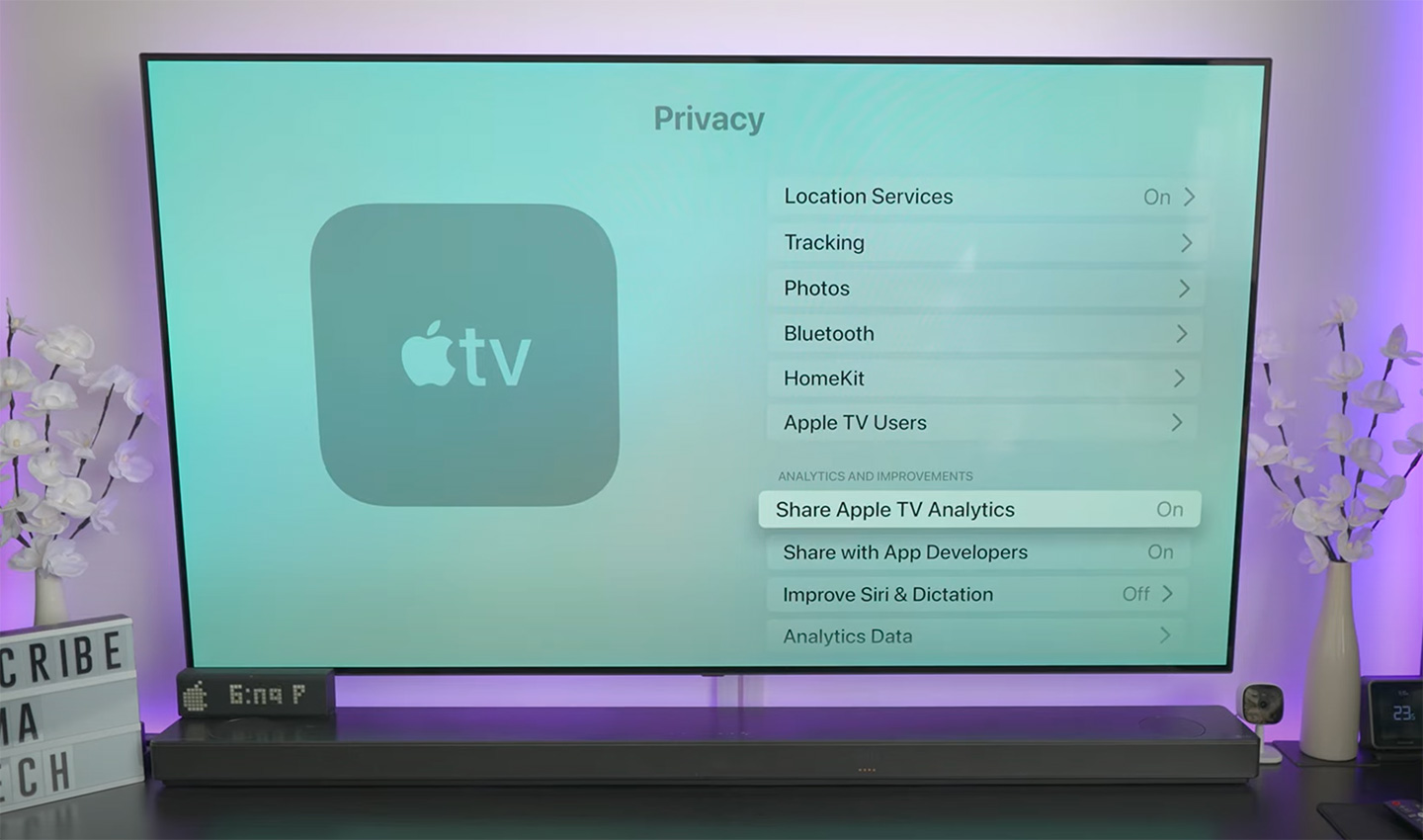
Open the Settings app and move to General - Privacy - Send Apple TV Analytics.
Do some trick
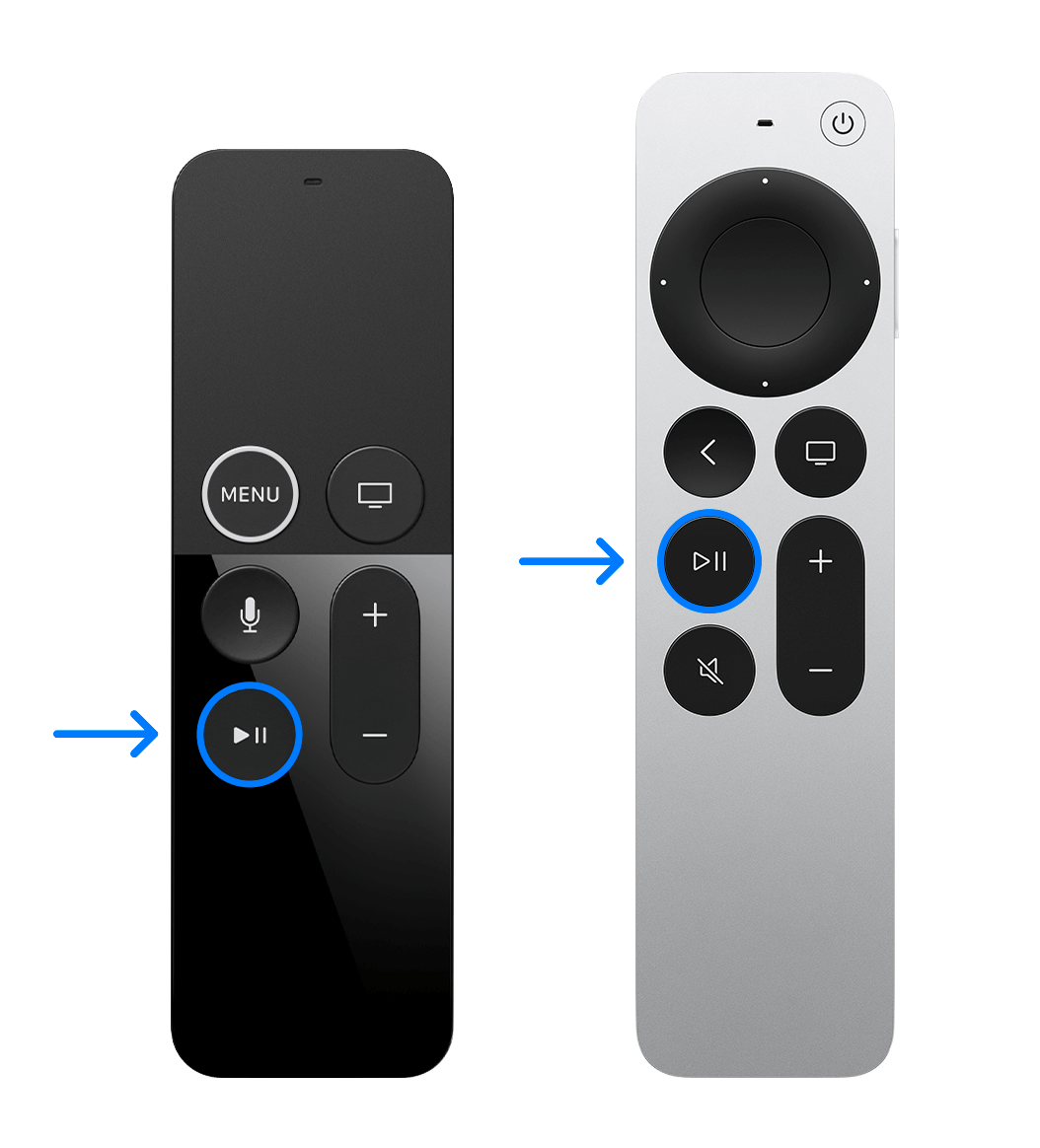
When you have Share Apple TV Analytics selected, don’t click on it. Instead, press the Play/Pause button on the remote and it will open the Add Profile menu, press Play/Pause button again on this option.
Install profile
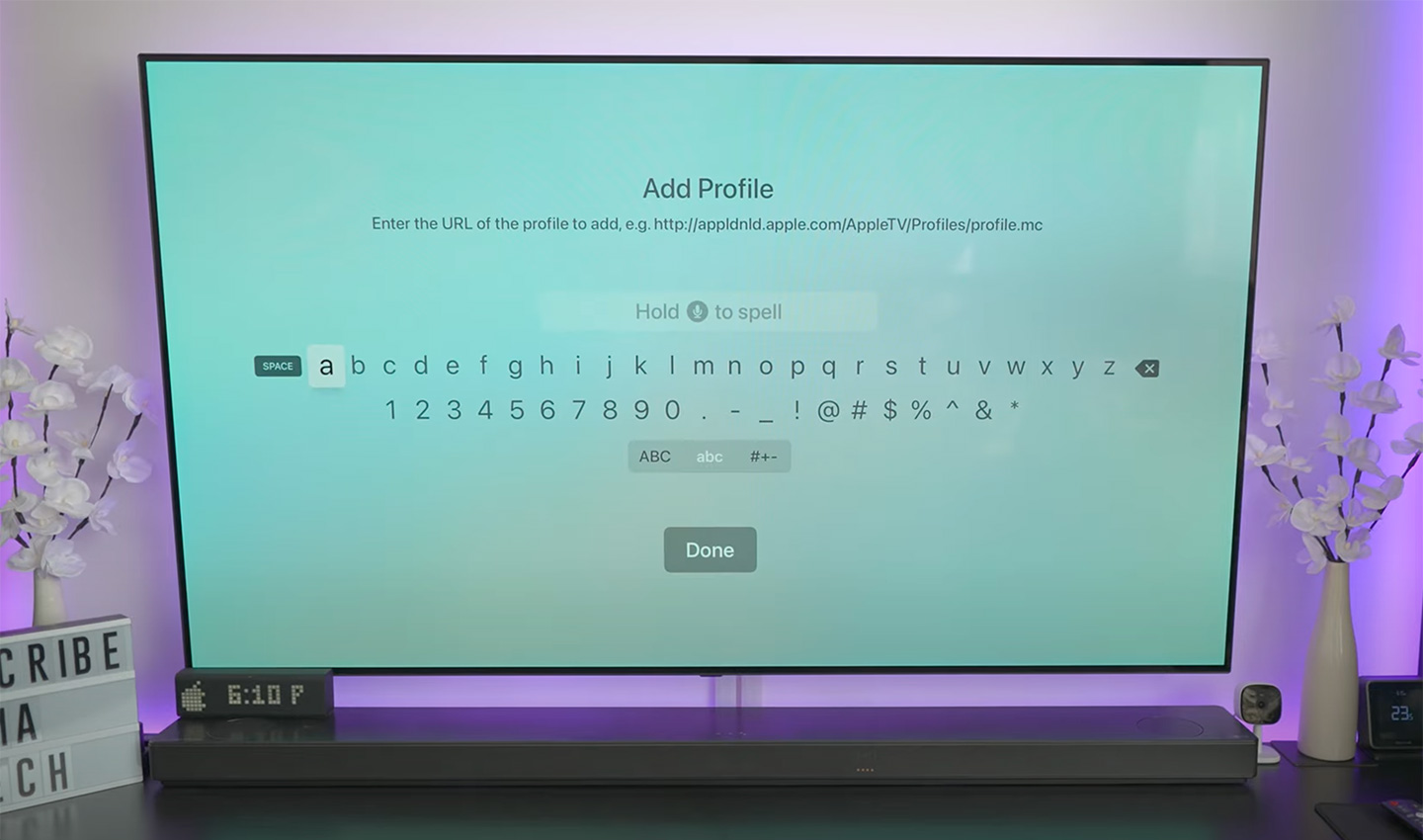
In the text field that pops up, type https://bit.ly/tvos_16_beta (This is a shortened link to the beta profile file, so you don't have to type a long link. And remember to type each character, don't paste it from your iPhone, that makes it not work), then click Done and select Install.
Reboot your Apple TV
When you are prompted to reboot do so.
Turn off Get Beta Updates
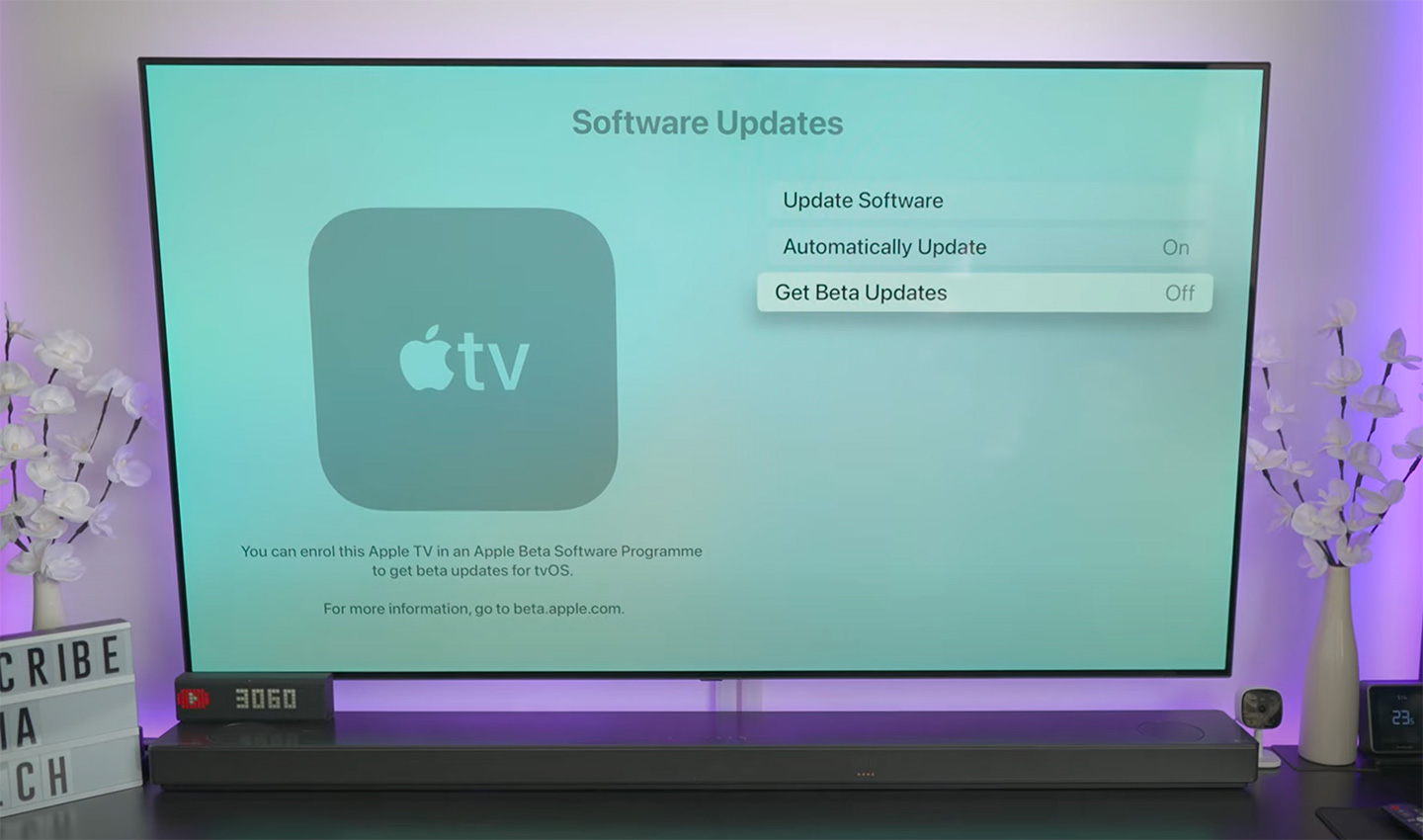
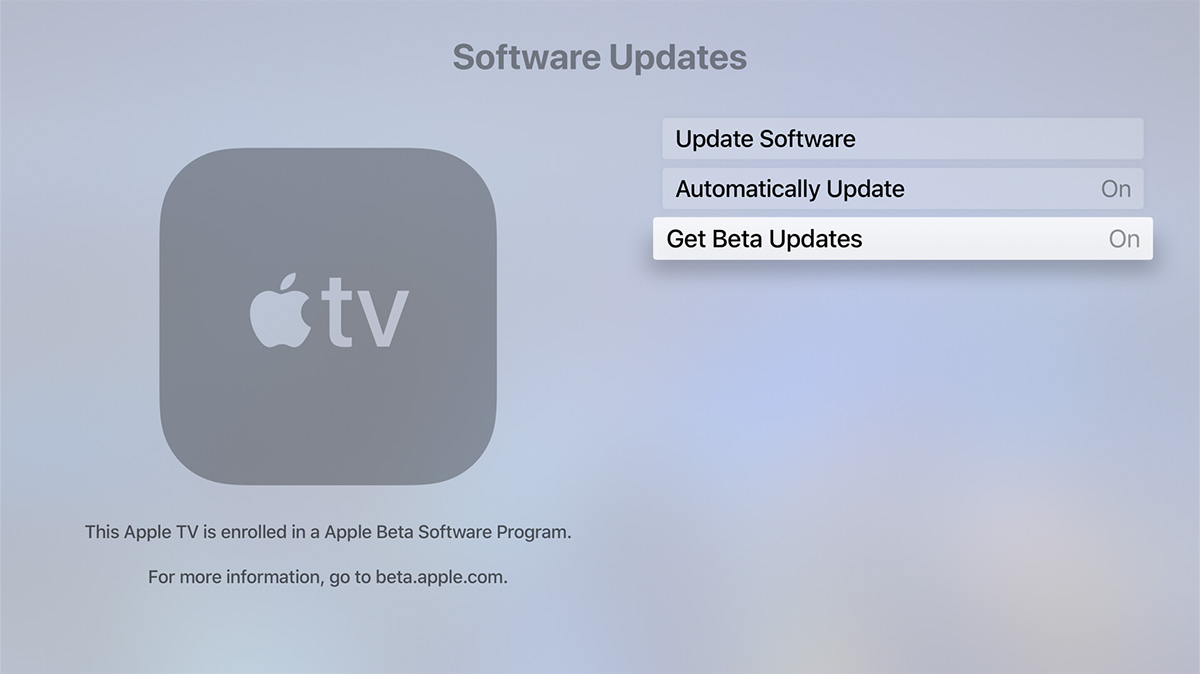
Make sure Settings - System - Software Updates - Get Beta Updates set to OFF.
Update your Apple TV
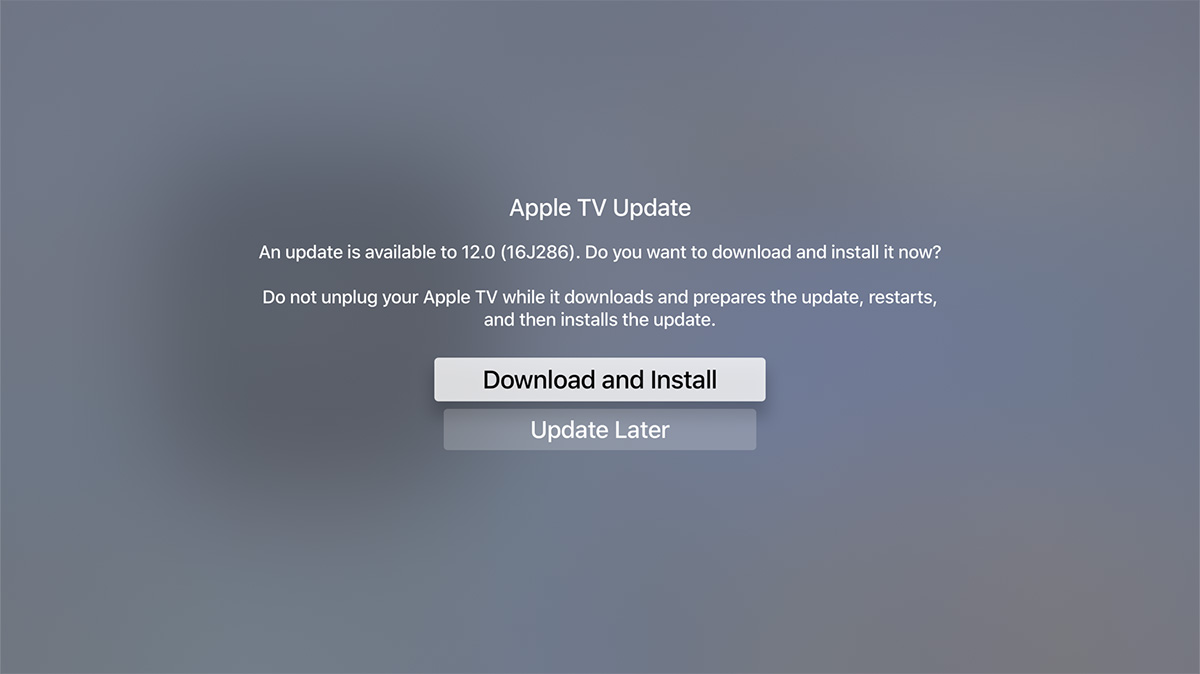
Once this is done, you can update tvOS 16 beta in Settings - System - Software Updates. Alternatively, you can still download the file to your Mac for manual installation via Xcode and Apple Configurator 2, instructions can be found on Google.
You can always delete this installed profile anytime you want to stop receiving beta updates. All you need to do is go through the Delete Profile page, which has all the instructions for each of your devices.
Provide Feedback
The tvOS beta works with the Feedback Assistant app running on iOS or iPadOS devices enrolled in the developer (or public) beta. When you come across an issue on Apple TV that needs addressing, send your feedback to Apple with Feedback Assistant.
The images in this tutorial are taken from a YouTube video, if you have screenshots from Apple TV, please send it to me, I would appreciate it.
Latest update: June 15, 2026